


Successful event coverage starts long before the first guest arrives. Whether the goal is a short recap, full-session recording, or remote broadcast, a thoughtful plan for video equipment rental helps organizers match cameras, support gear, and staffing to the actual needs of the program.
Live events are not repeatable studio shoots. A keynote, award announcement, audience response, or product demonstration may happen once, which makes preparation essential. A reliable plan protects the moments that matter while also creating footage that remains useful after the room is cleared.
Why Event Video Needs a Real Plan
Event video works best when it captures more than the stage. Wide room views establish context, close speaker shots preserve key messages, and audience reactions show how the program landed. Interviews, venue details, demonstrations, and networking footage can also give editors the material needed to tell a complete story rather than simply document a schedule.
Set Clear Video Goals
Before assigning camera positions, decide what the finished video needs to accomplish. If the event requires clean spoken-word capture, clear audio services planning should be part of the same early conversation as cameras and editing. One event can support several uses, but each use should be identified in advance.
- Create a concise recap for attendees and future audiences.
- Record full presentations for on-demand viewing.
- Produce short clips for social channels or internal updates.
- Capture interviews with approved speakers or participants.
- Document training, demonstrations, or organizational milestones.
Write a one-sentence definition of success, such as: “This video should help people who did not attend understand the event’s main ideas and energy.” That sentence becomes a useful filter when time is limited, and the crew must choose between competing shots.
Choose a Coverage Style
The right format depends on the agenda and the intended audience. A simple presentation may only need one locked-off camera and dependable sound. A panel, performance, or conference usually benefits from multiple angles, while a highlight piece needs more movement, detail shots, and candid interactions.
- Single-camera coverage: Suitable for straightforward talks and basic archival records.
- Multi-camera coverage: Useful for panels, keynotes, performances, and active programs.
- Highlight video: Focuses on energy, people, memorable lines, and atmosphere.
- Full-session recording: Prioritizes complete content, legible slides, and steady framing.
- Live stream: Adds real-time monitoring, internet testing, viewer support, and contingency planning.
Build a Practical Shot List
A shot list is the crew’s working map. It should follow the event schedule, identify must-have moments, and allow time to move between rooms. Include a priority level so the team knows what cannot be missed if two activities overlap.
Suggested Shot Categories
- Exterior, arrival, registration, and greeting scenes.
- Wide views of the venue, stage, and audience.
- Close shots of speakers, performers, and demonstrations.
- Audience participation, applause, questions, and reactions.
- Networking, room details, signage, décor, and transitions.
- Brief interviews with people who have approved participation.
For a one-day conference, one operator might remain on the keynote wide shot while another captures speaker close-ups and audience reactions. During breaks, the second operator can gather networking footage and interviews. That division creates variety without asking every camera to cover every moment.
Plan the Technical Setup
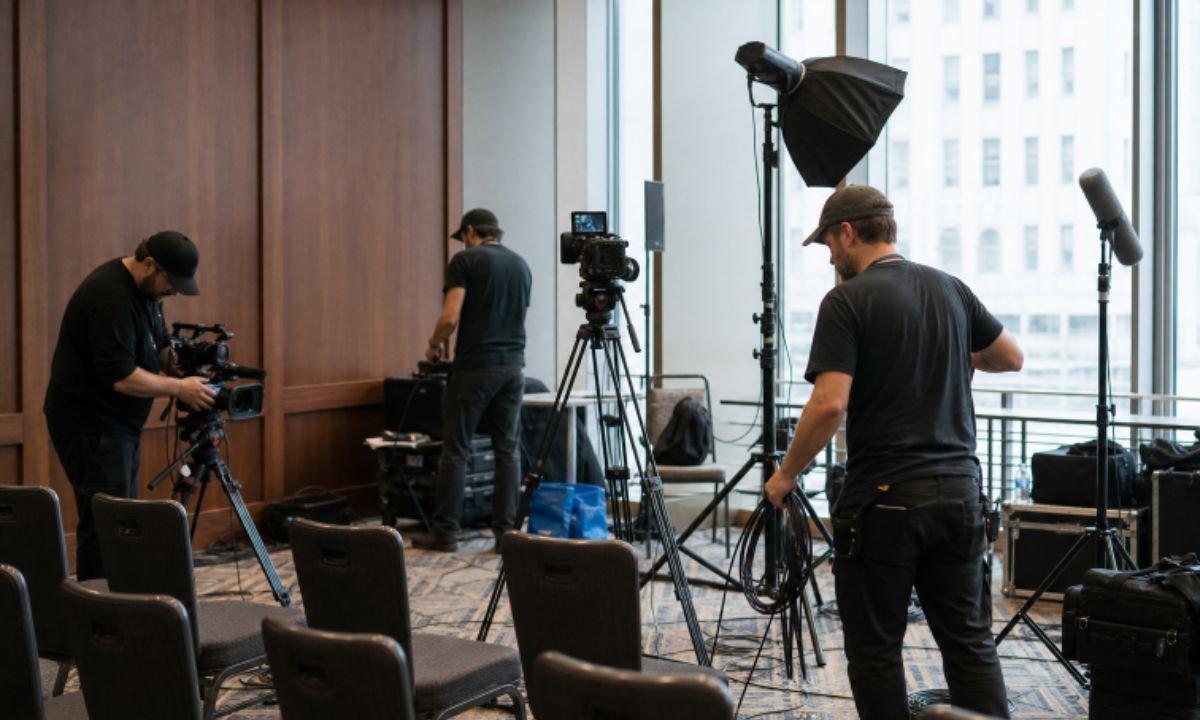
Technical decisions should be simple enough to operate reliably under pressure. Position cameras where they will not obstruct guests or emergency paths, reserve a stable, wide view as safety coverage, and verify batteries, media capacity, recording settings, cables, and power access before doors open.
Audio deserves the same level of planning. Identify everyone who needs a microphone, confirm whether the venue can provide a clean soundboard feed, and record a backup whenever possible. Test the presenter’s speech, audience questions, music, room noise, and echo in conditions that resemble the live program. Stage lighting, windows, projection screens, and colored fixtures should also be checked during a rehearsal or setup period.
Include Accessibility From the Start
Accessibility should influence the production plan, not become an afterthought in editing. The guidance for accessible virtual events recommends considerations such as live captioning, clear slides, visual descriptions, and ways for attendees to request accommodations. Leave screen space for captions, use high-contrast slides, and encourage presenters to describe essential visuals aloud.
Protect the Footage
Every recording plan needs a failure plan. Bring extra batteries, cards, cables, adapters, and power supplies. Copy media to separate storage as soon as practical, verify the copied files before reformatting cards, and assign one person to confirm that backups are complete. For live streams, test the primary internet connection, establish a backup communication method, and decide who will monitor the outgoing feed.
Create a Post-Event Workflow
Decide how footage will be handled before it is recorded. Confirm who reviews edits, which deliverables are most urgent, where files will be stored, and who approves public use. A short recap may be the first priority, followed by full sessions, speaker clips, interviews, and a searchable archive. Organizing deadlines, staff assignments, and technical cues in a shared schedule follows the same practical approach used in event planning timelines and production schedules.
Final Video Planning Checklist
- Event objective and intended audience confirmed.
- Video formats and viewing platforms selected.
- Run of show and shot list reviewed.
- Camera positions, audio sources, lighting, power, and internet were tested.
- Accessibility needs, releases, and permissions addressed.
- Backup responsibilities assigned.
- Editing, approvals, delivery dates, and file storage were agreed upon.
Common Questions
How early should event video planning begin?
Begin when the venue, agenda, and major speakers are confirmed. Early planning allows time to assess room layouts, access points, sound systems, lighting conditions, and connectivity.
How many cameras does an event need?
It depends on movement, audience size, program complexity, and deliverables. A single talk may need one camera, while a panel or conference may need wide, close, and roaming coverage.
Is live streaming the same as recording?
No. Streaming also requires encoding, reliable connectivity, real-time monitoring, remote-viewer support, captions, graphics, and recovery steps if the feed fails.
Conclusion
Reliable event video comes from preparation rather than last-minute gear additions. When goals, schedule, coverage, technical needs, accessibility, backups, and delivery expectations are clear, teams can capture the event with greater confidence and create footage that remains valuable long after it ends.